Zini
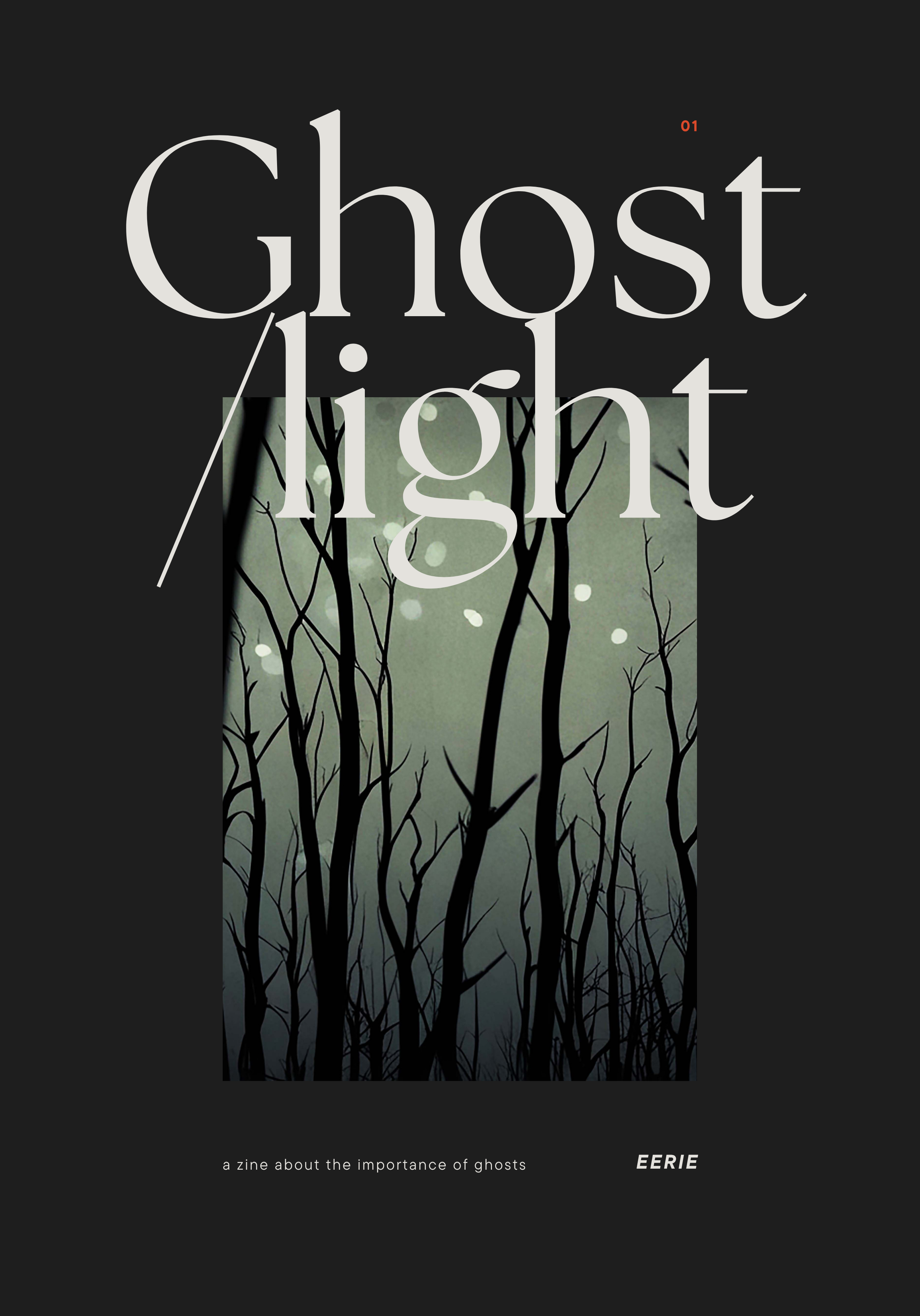
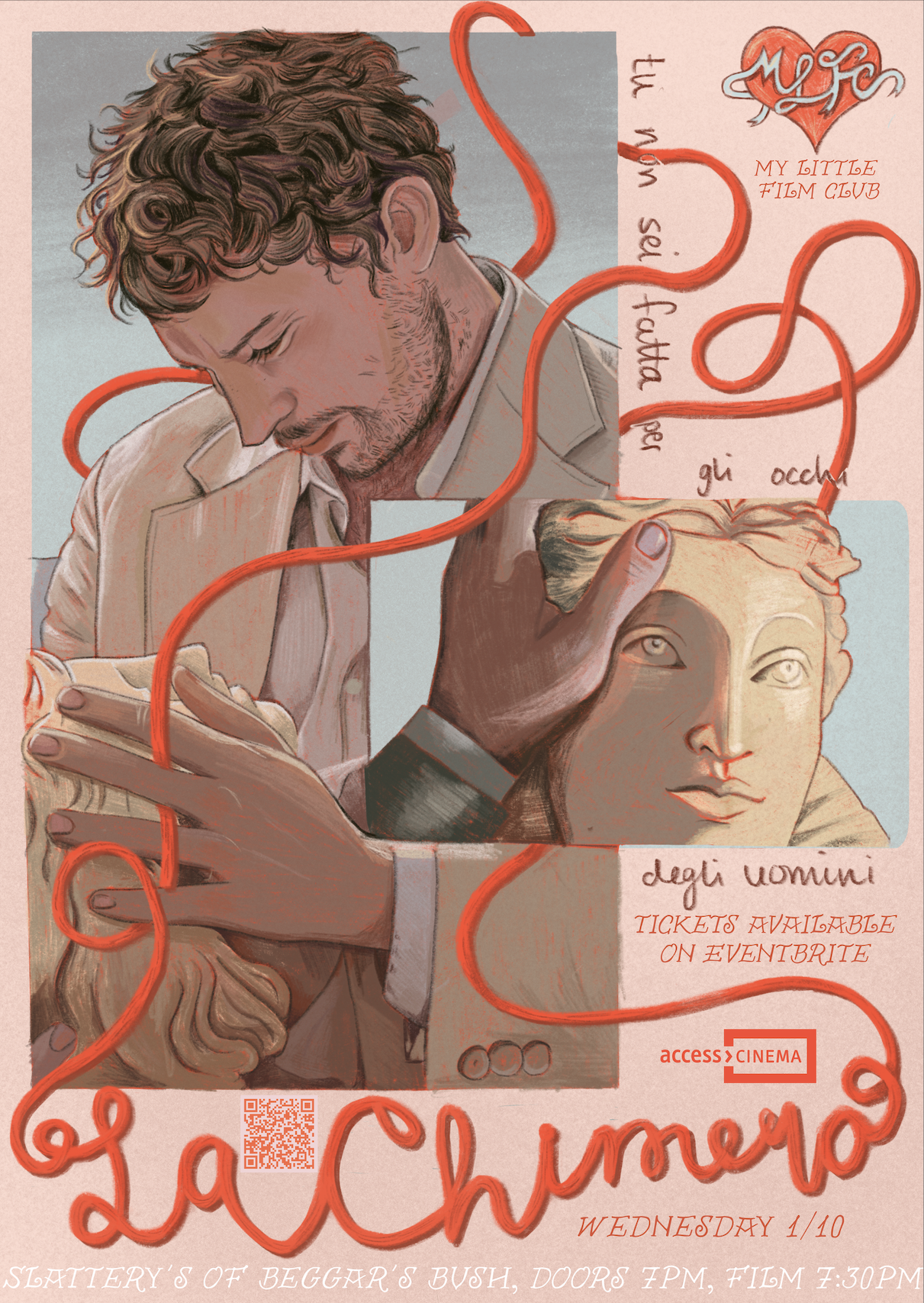
Zini is a mobile application designed to support the creation and sharing of zines within a digital creative community. Zines are self-published works that are typically handmade and produced in small batches. They often take the form of small booklets or pamphlets and can explore a wide range of topics, including art, music, politics, and personal storytelling. Because there are no strict rules around format or content, zines have long been used as an accessible and low-pressure creative outlet. Zini translates this traditionally physical medium into a digital platform where users can create, upload, share, and discover zines. The goal of the app is to provide an inclusive space where people can express creativity without needing advanced artistic skills.


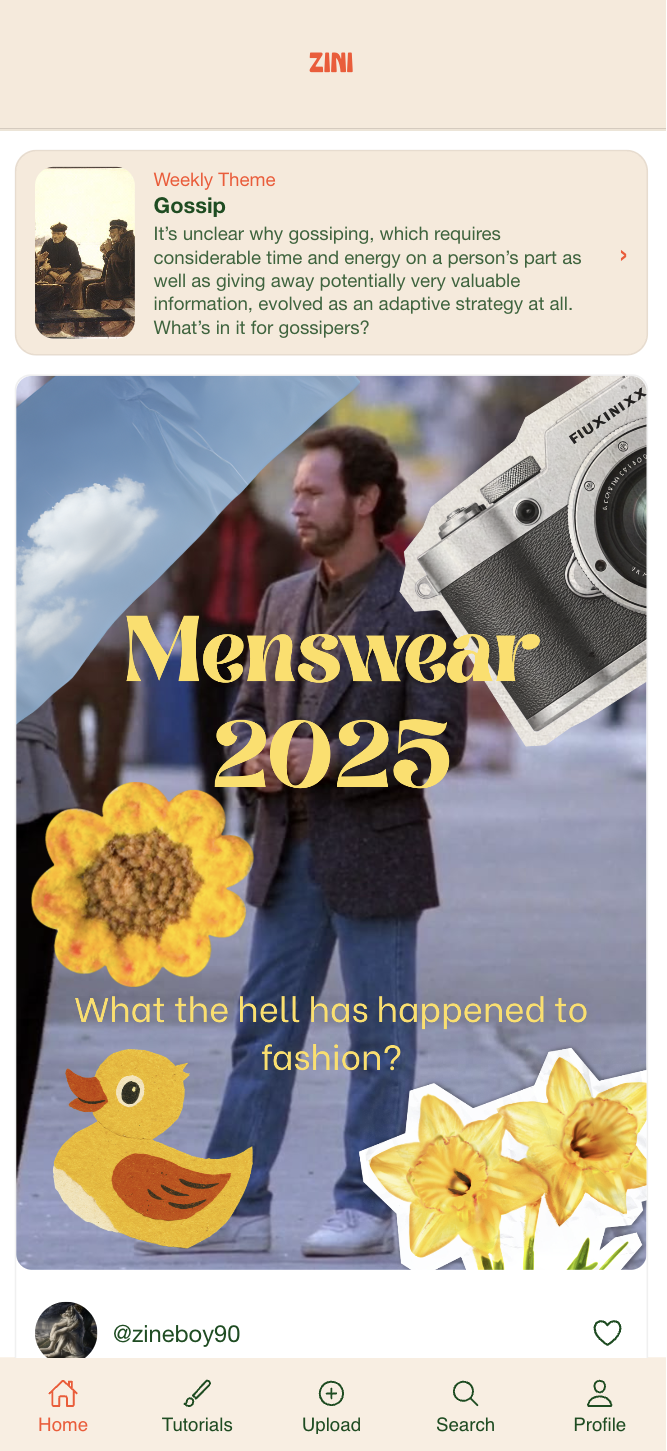
The platform allows users to:
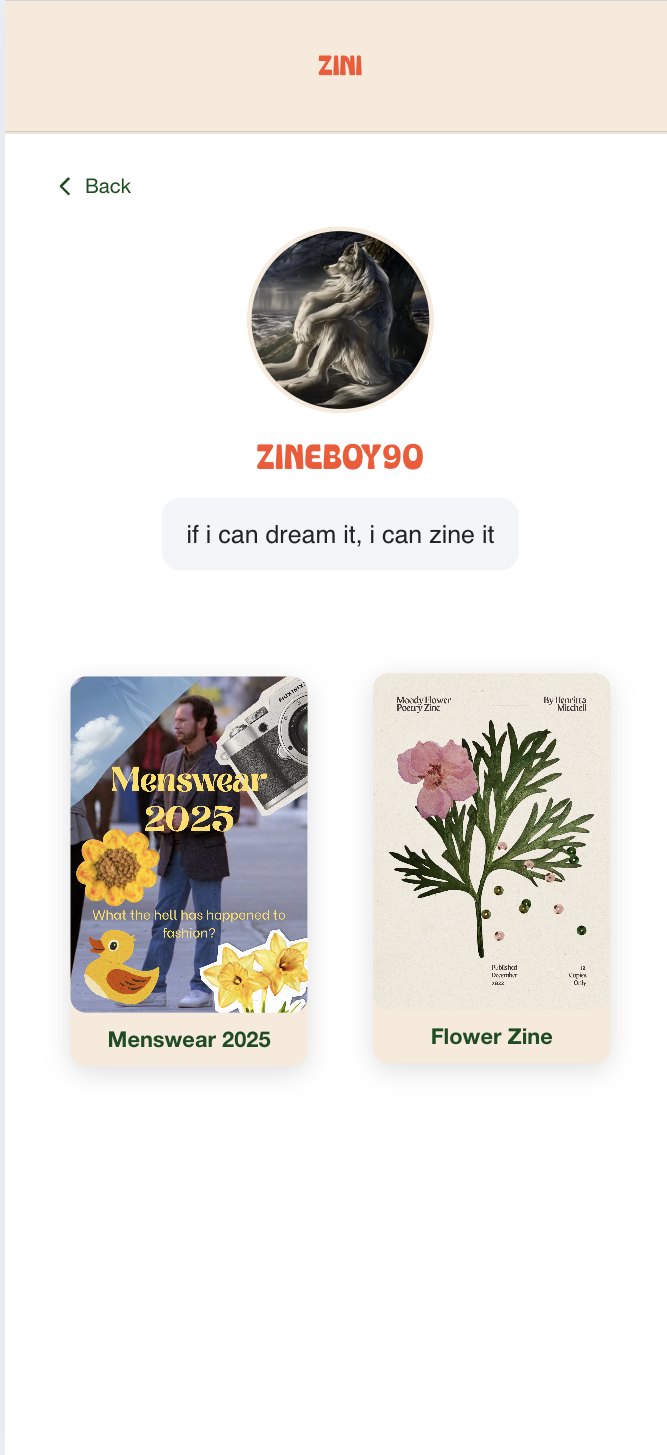
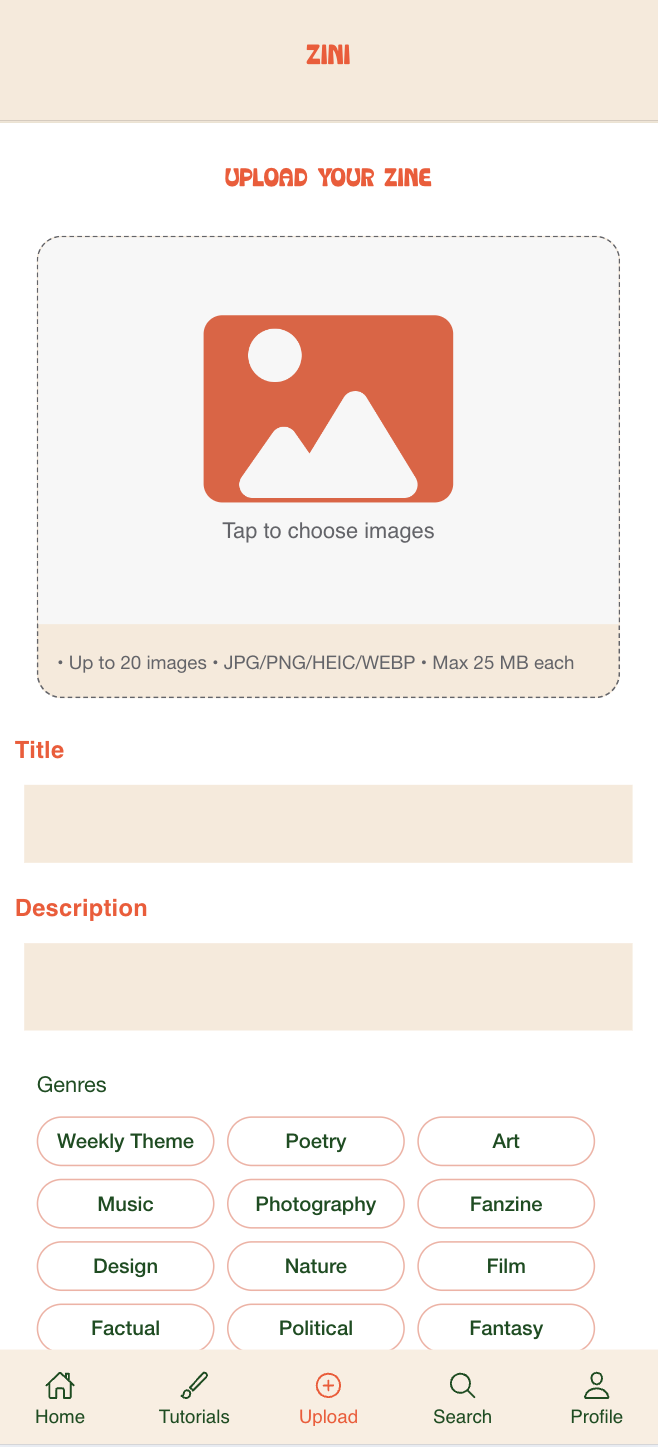
Upload and share their own zines
Browse zines by genre and weekly themes
Save inspiring work from other creators
Learn how to create their own zines through tutorials
Unlike existing zine repositories, Zini focuses on community and inspiration, encouraging users to explore new ideas and experiment with creative expression.
This project was developed over eight months and involved user research, zine-making workshops, interface design, and full application development.
My role
Role: UX Designer & Developer
Duration: 8 Months
Tools: Figma, Firebase, React / Ionic
Focus: Community platform, creative tools, content sharing
As the programmer and UX designer for Zini, I was responsible for both the technical implementation and the early-stage ideation of the app. I developed the front-end using React and integrated Firebase for file uploads, data storage, and user authentication. During the design phase, I created wireframes and prototypes to explore different layouts and interaction patterns. Early iterations were tested with users to gather feedback on usability, navigation, and the zine reading experience, which informed refinements to the interface, carousel interactions, and upload workflow. This process ensured the app was intuitive, engaging, and tailored to the needs of zine creators and enthusiasts.
User Needs Analysis
Key Pain Points
Through early research, we identified several issues within the current zine ecosystem:
Many online zines require payment, limiting accessibility.
Zines often have small circulation, making them difficult to discover.
New creators may feel intimidated by the creative process, particularly when generating ideas.
Existing zine platforms rarely allow interaction between readers and creators.
Design Opportunity
Most existing platforms function as static archives of zines. Zini was designed instead as a community-driven platform, allowing users to share, discover, and learn about zine creation in a more interactive environment.
Product Goals
Based on our research, Zini was designed to:
Help users discover zines based on their interests
Encourage sharing and uploading original work
Provide guidance for creating zines through tutorials and prompts
Make zine culture more accessible and community-driven
These insights informed the design decisions for the platform’s core features and user flows.
Competitor Research
We analysed platforms such as Behance, Issuu, Pinterest, and Instagram to understand how creative content is published and discovered online.
Key insights
Most platforms act as archives rather than communities
Many zine platforms require payment or subscriptions
Discovery tools are often not tailored to niche creative formats
Visual platforms like Instagram and Pinterest show how swipeable content and inspiration feeds drive engagement
Design decisions
Zini focuses on community interaction, not just publishing
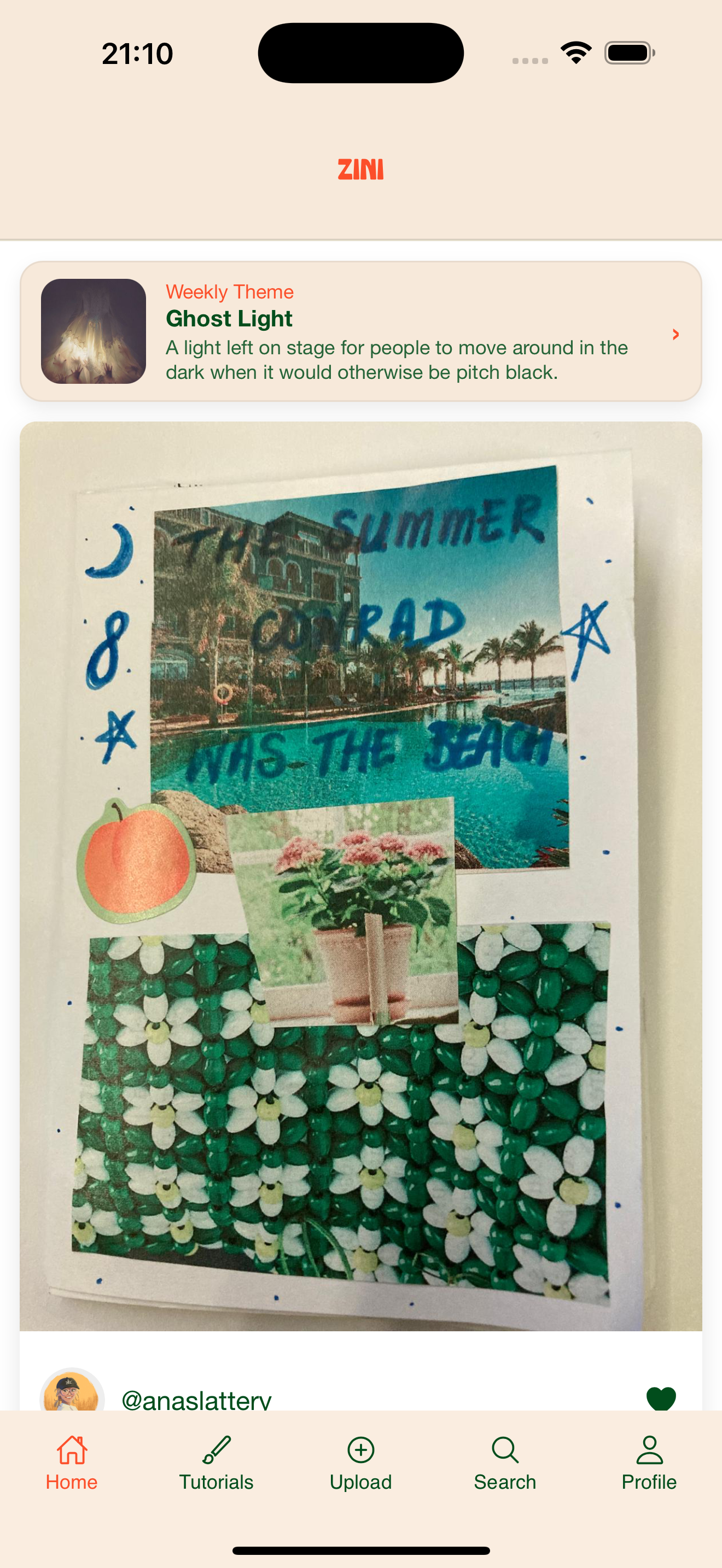
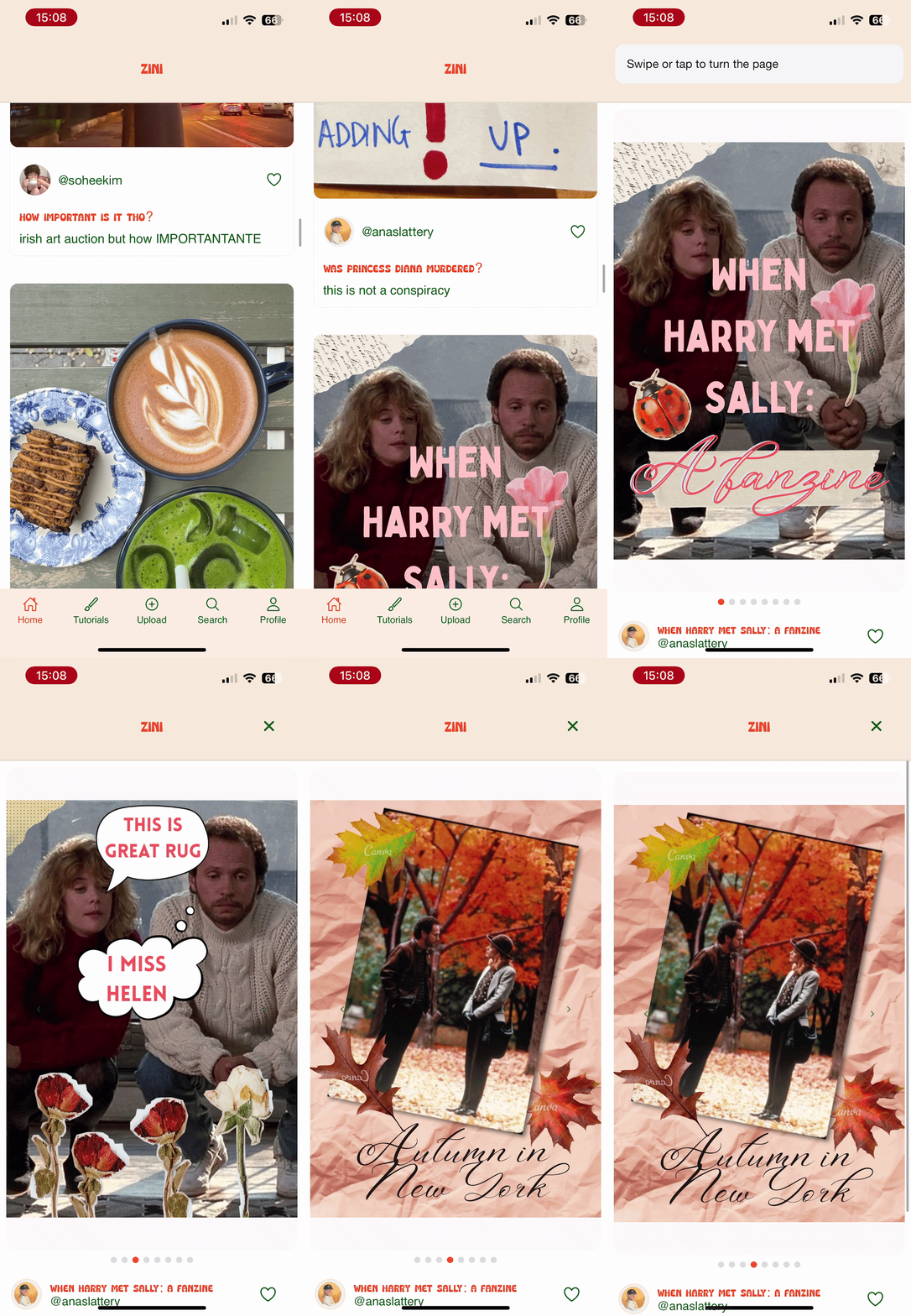
Zines are displayed in swipeable carousel formats
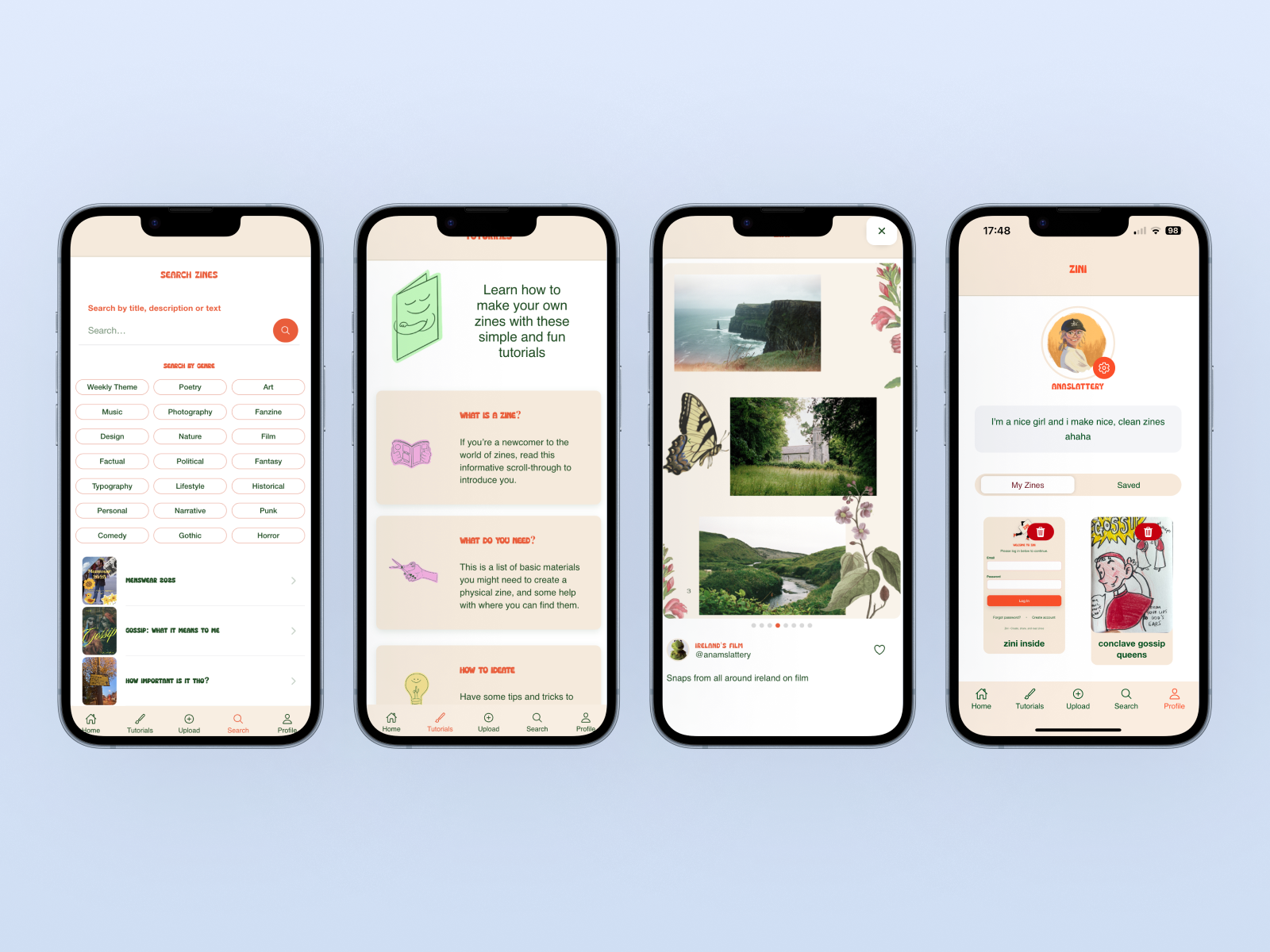
Users can save and browse zines by genre and weekly themes

Methodology & Design Approach
To design Zini, we followed a user-centred design process that moved from early ideation to high-fidelity prototypes and final implementation.
Ideation
We began with brainstorming sessions to translate our research insights and user needs into potential features and interactions. This stage helped define the core structure of the app and ensured each feature supported the goal of making zines easier to discover, create, and share.
Navigation Structure
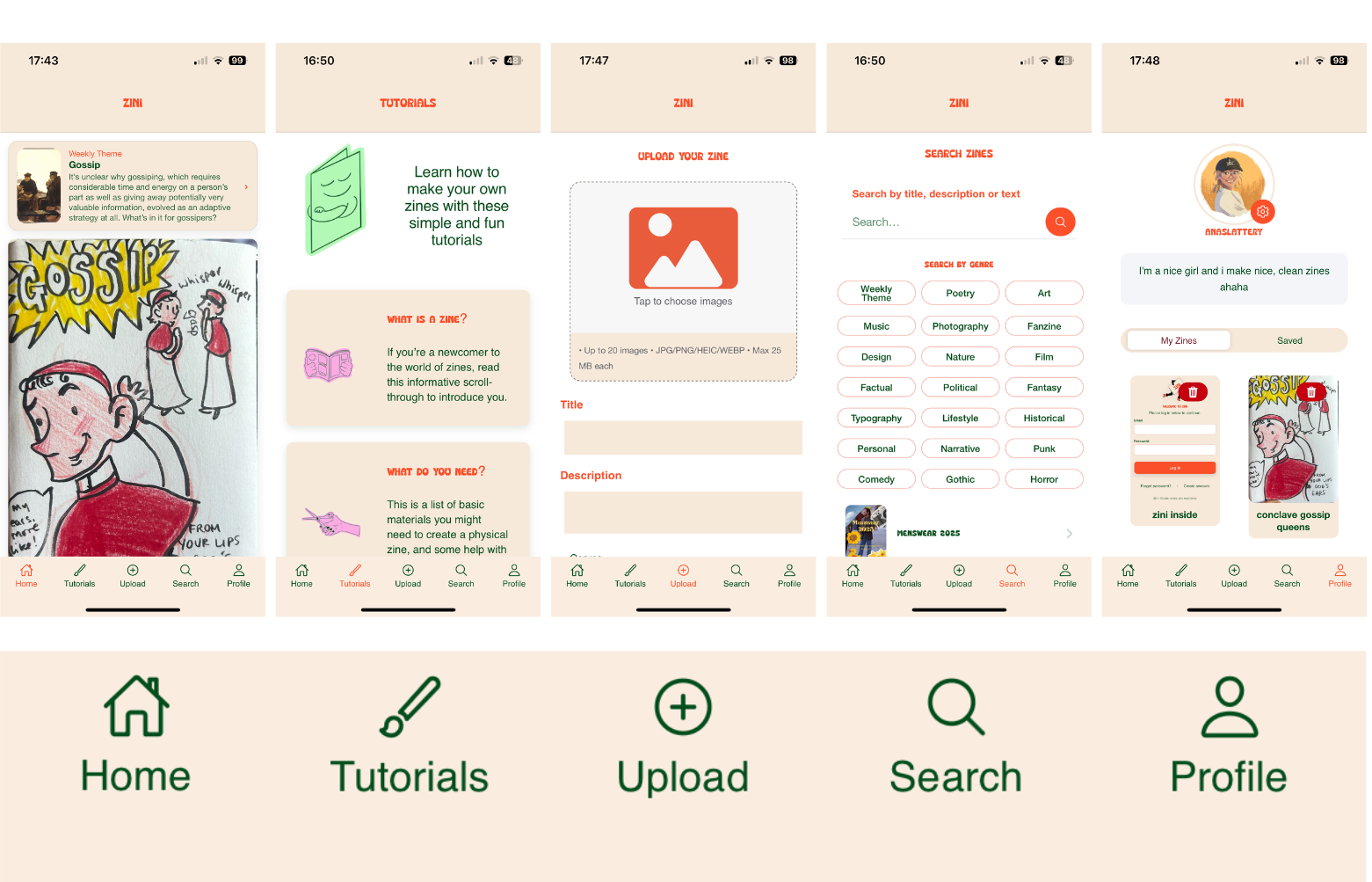
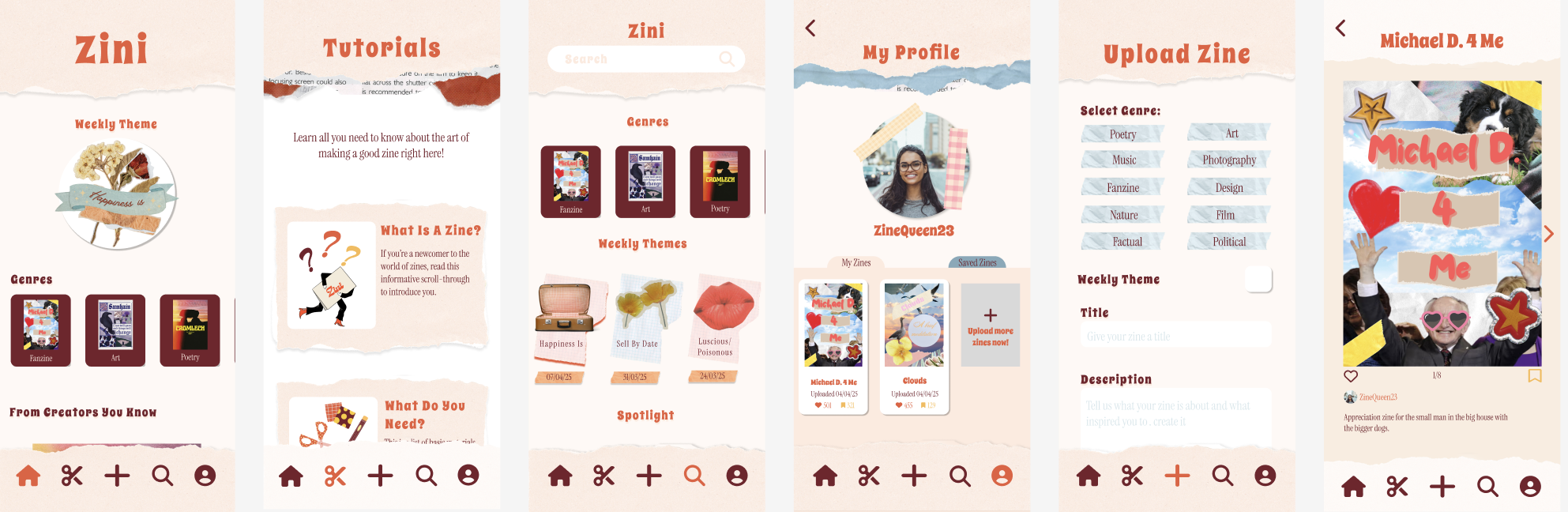
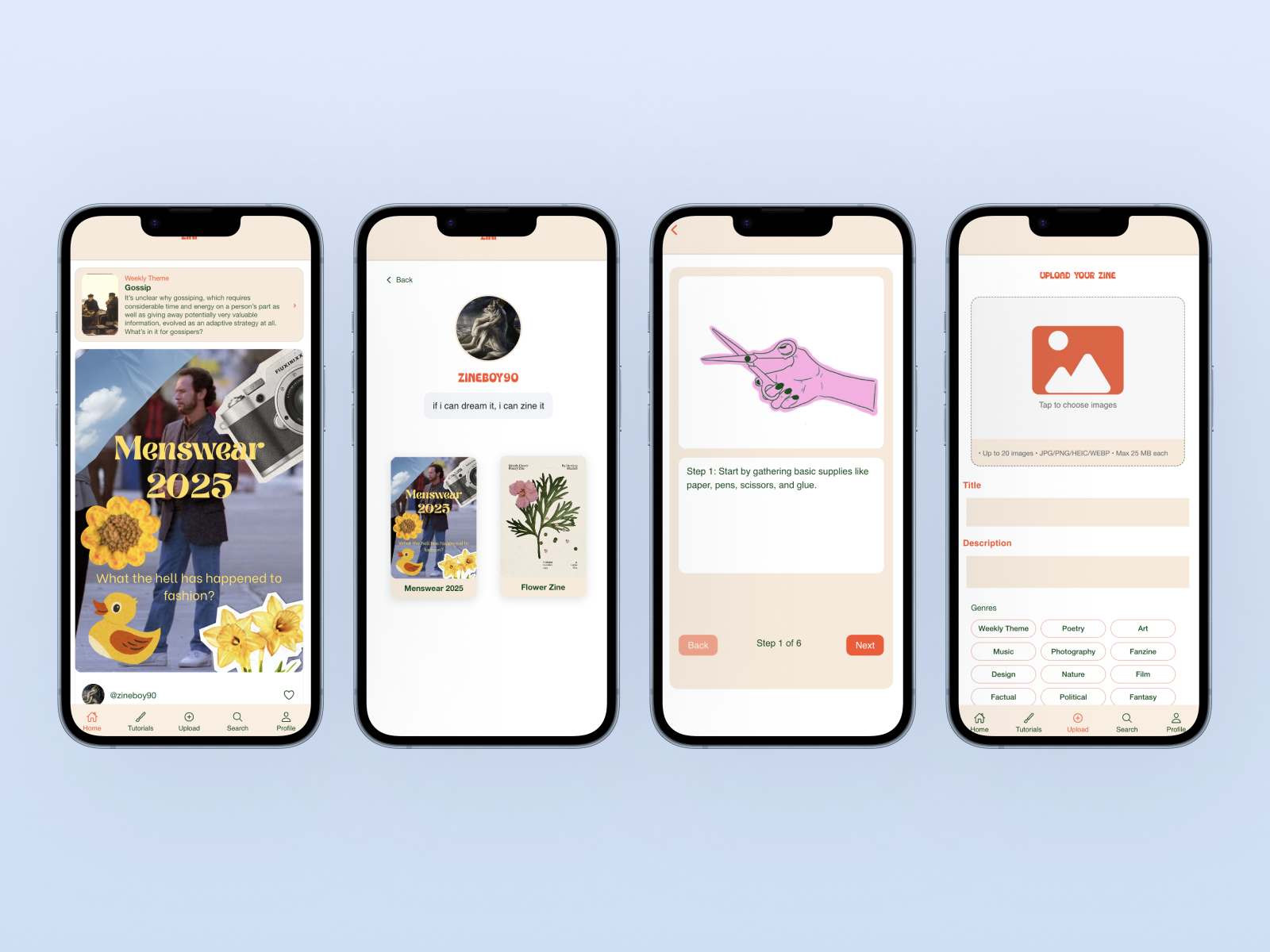
Based on our user research, we designed a simple navigation system with five main sections:
Home / Feed – a scrollable feed where users can browse zines and discover new content.
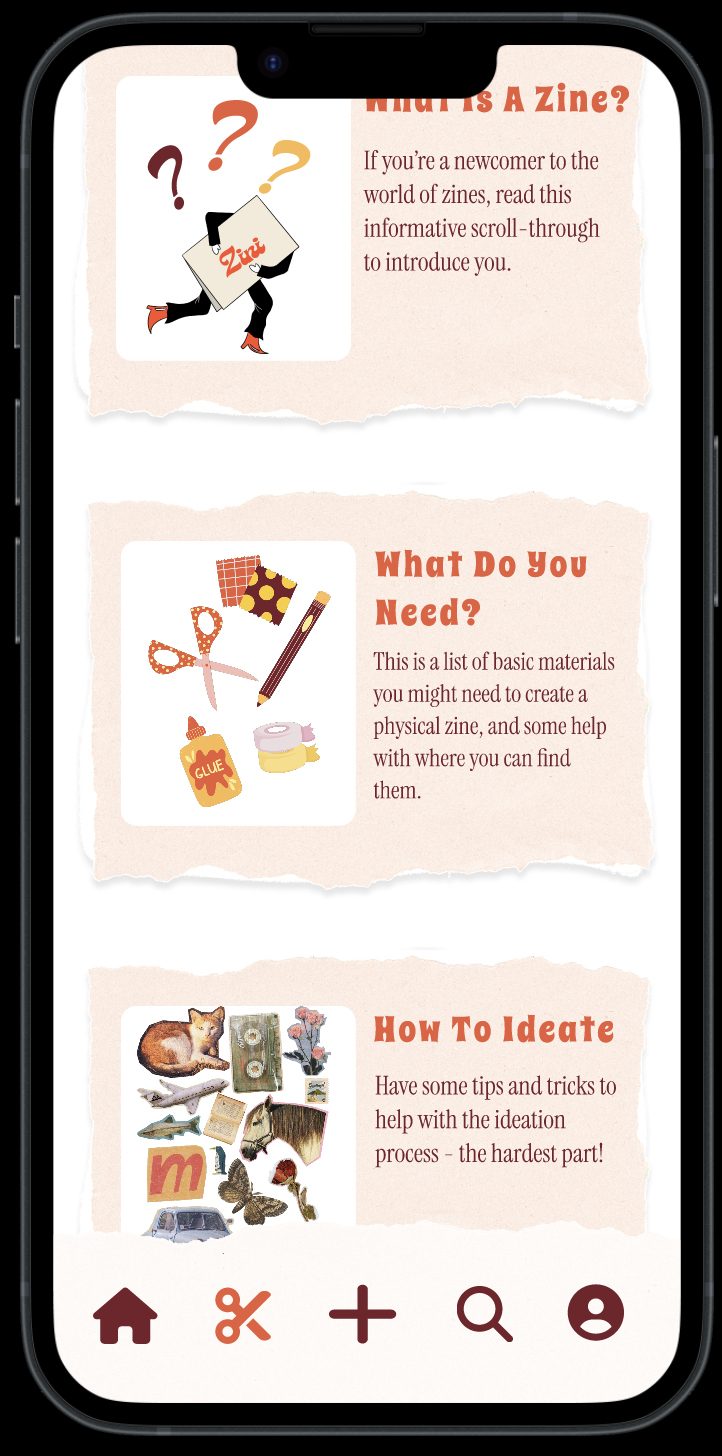
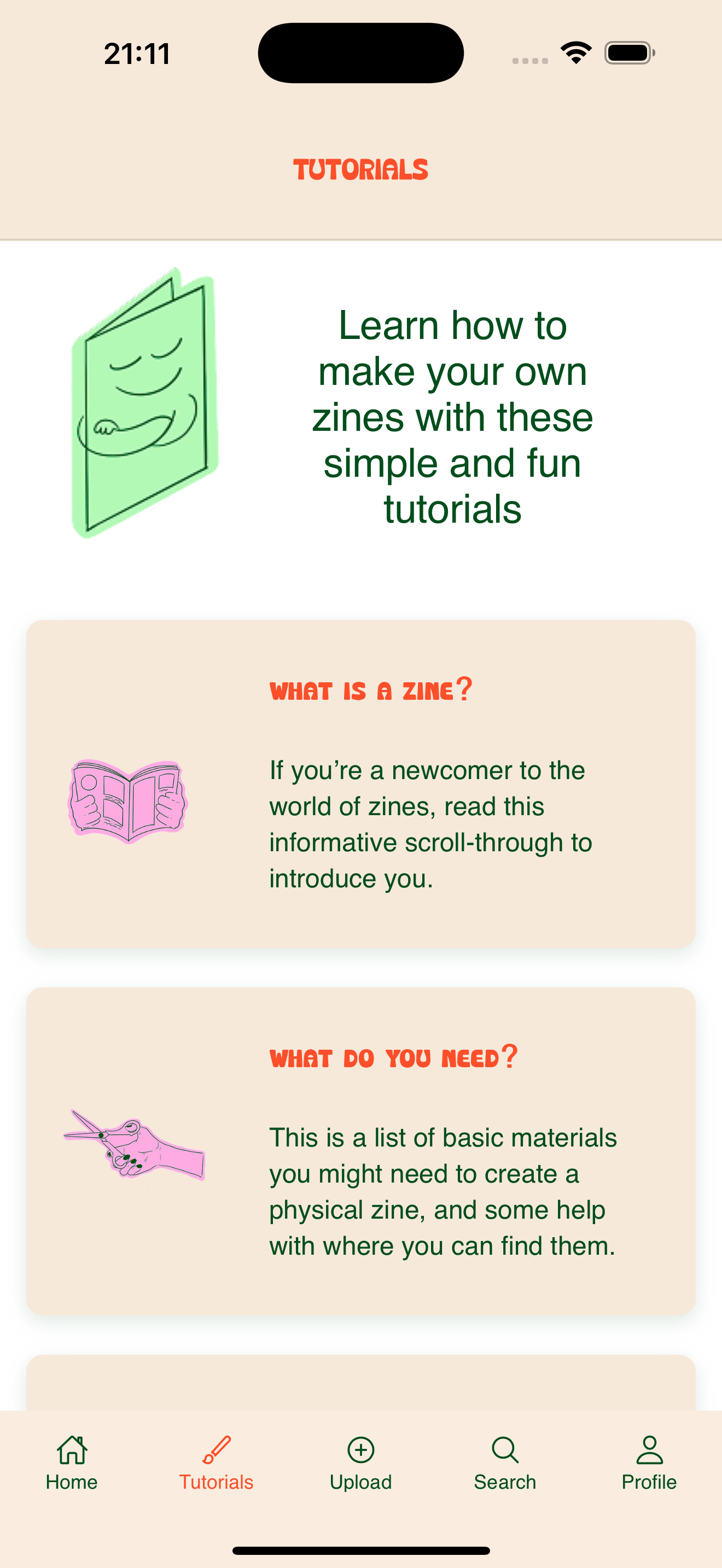
Tutorials – step-by-step guides for creating zines, including ideation, materials, layout, and folding techniques.
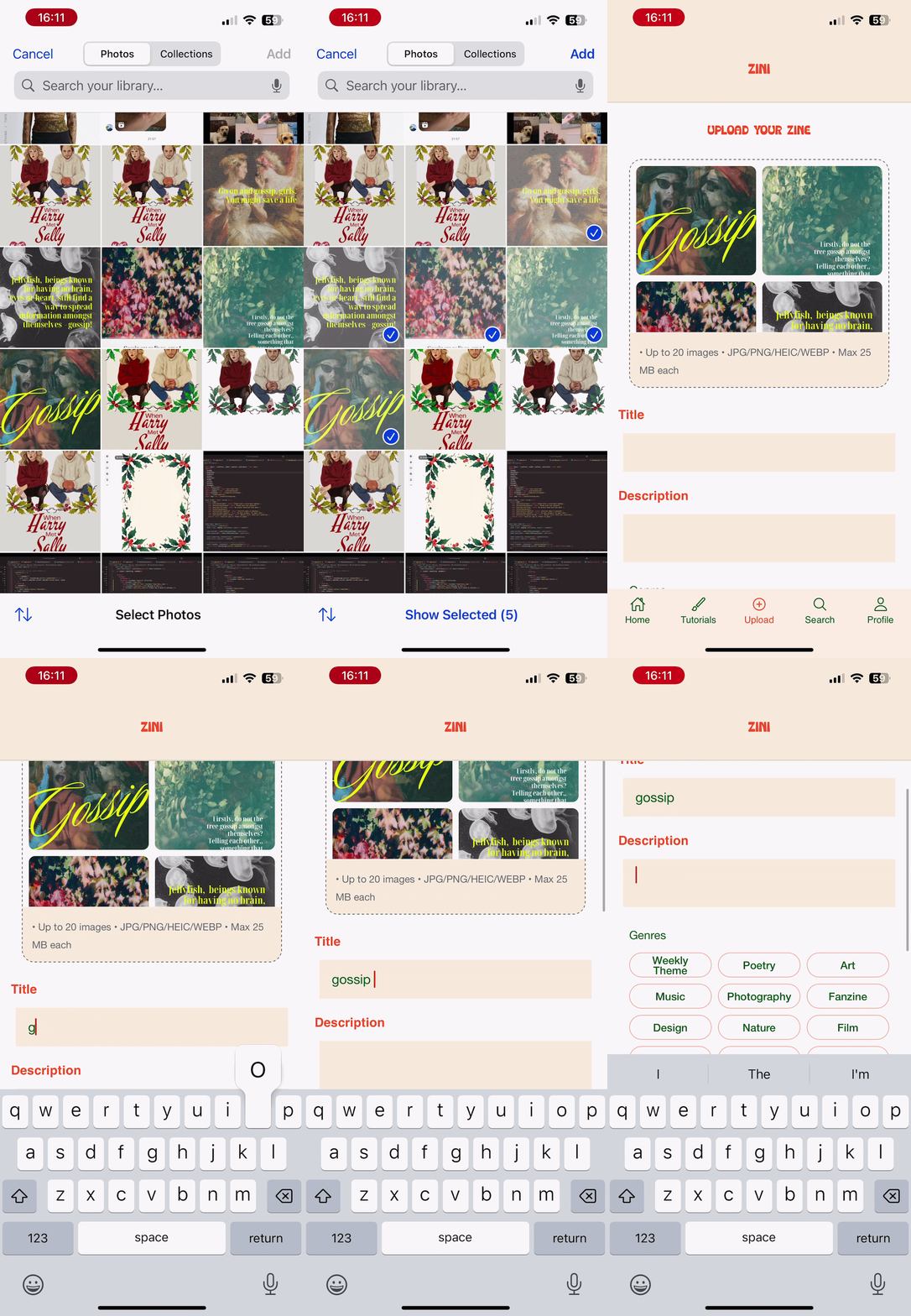
Upload – a space for users to share their own zines with the community.
Search – a discovery page where users can browse zines by genre or search for specific topics.
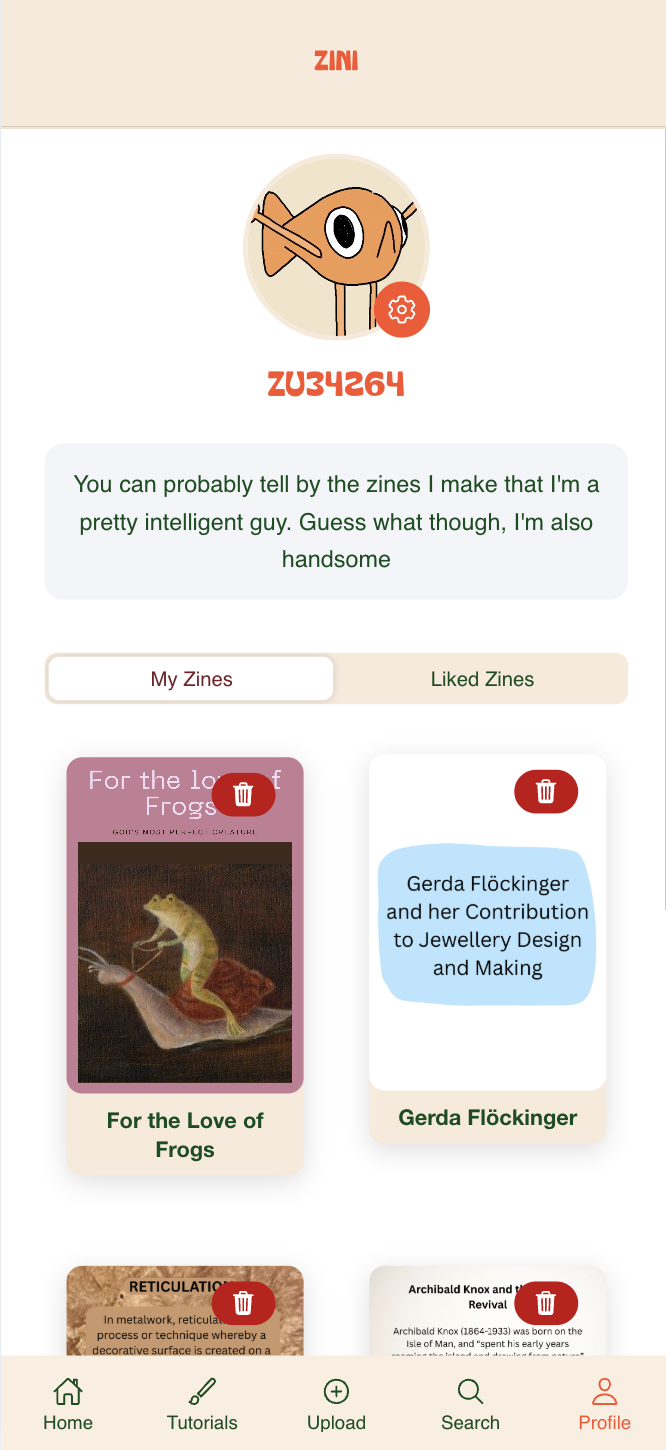
Profile – a personal hub displaying uploaded zines, saved zines, and user information.
This structure ensured users could easily discover, learn, create, and share within the app.

Visual Design & Branding
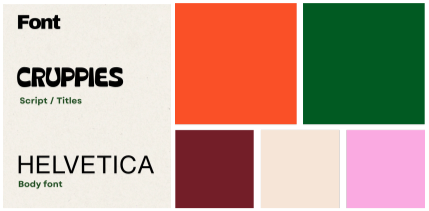
The visual style of Zini was designed to reflect the handmade nature of zines while maintaining a clean and accessible interface. We developed a brand identity including:
logo and colour palette
typography
consistent illustration style
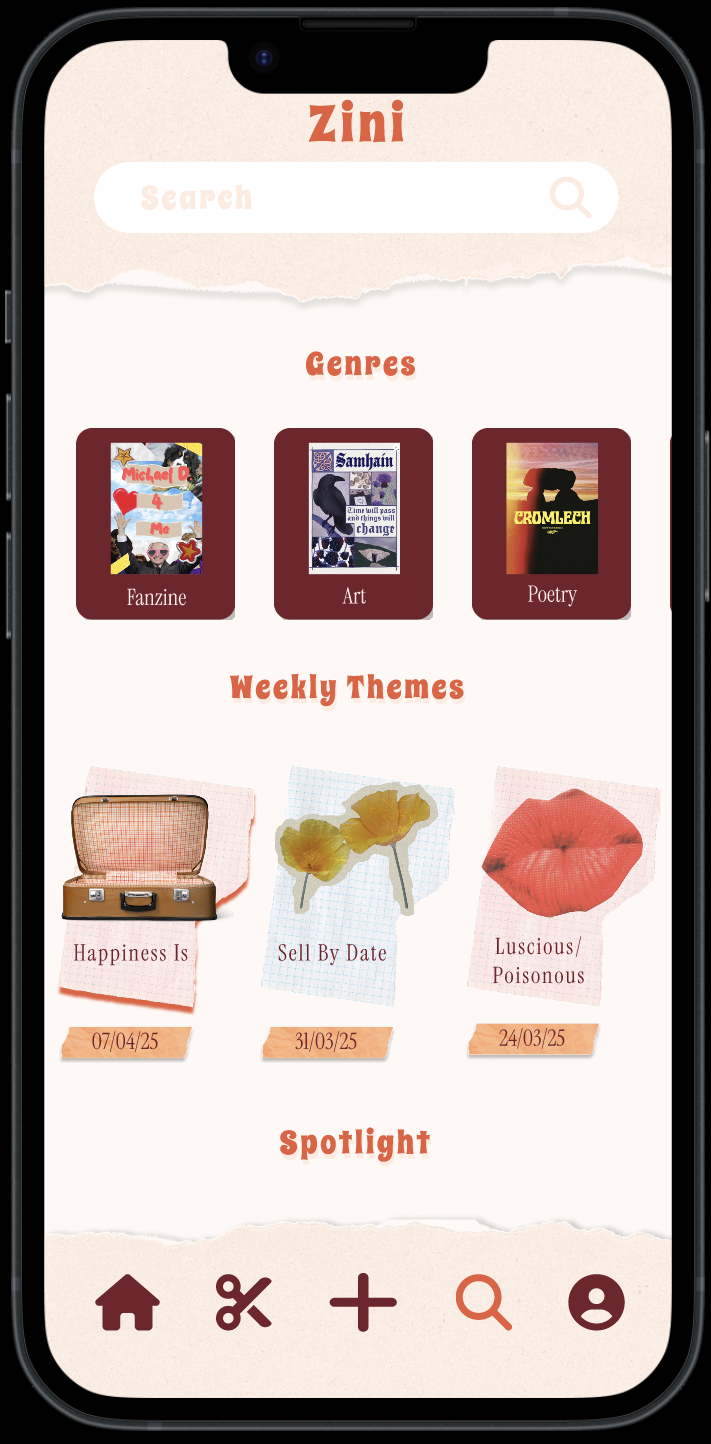
During the design process we simplified the initial “paper-cutout” aesthetic to improve clarity and usability.
High-Fidelity Prototypes
Using Figma, we created detailed prototypes that incorporated the visual design and full user flows. Familiar iconography (such as home, search, and profile icons) was used to ensure intuitive navigation.
Key interactions included:
swipeable multi-page zine reading
a scrolling feed for discovery
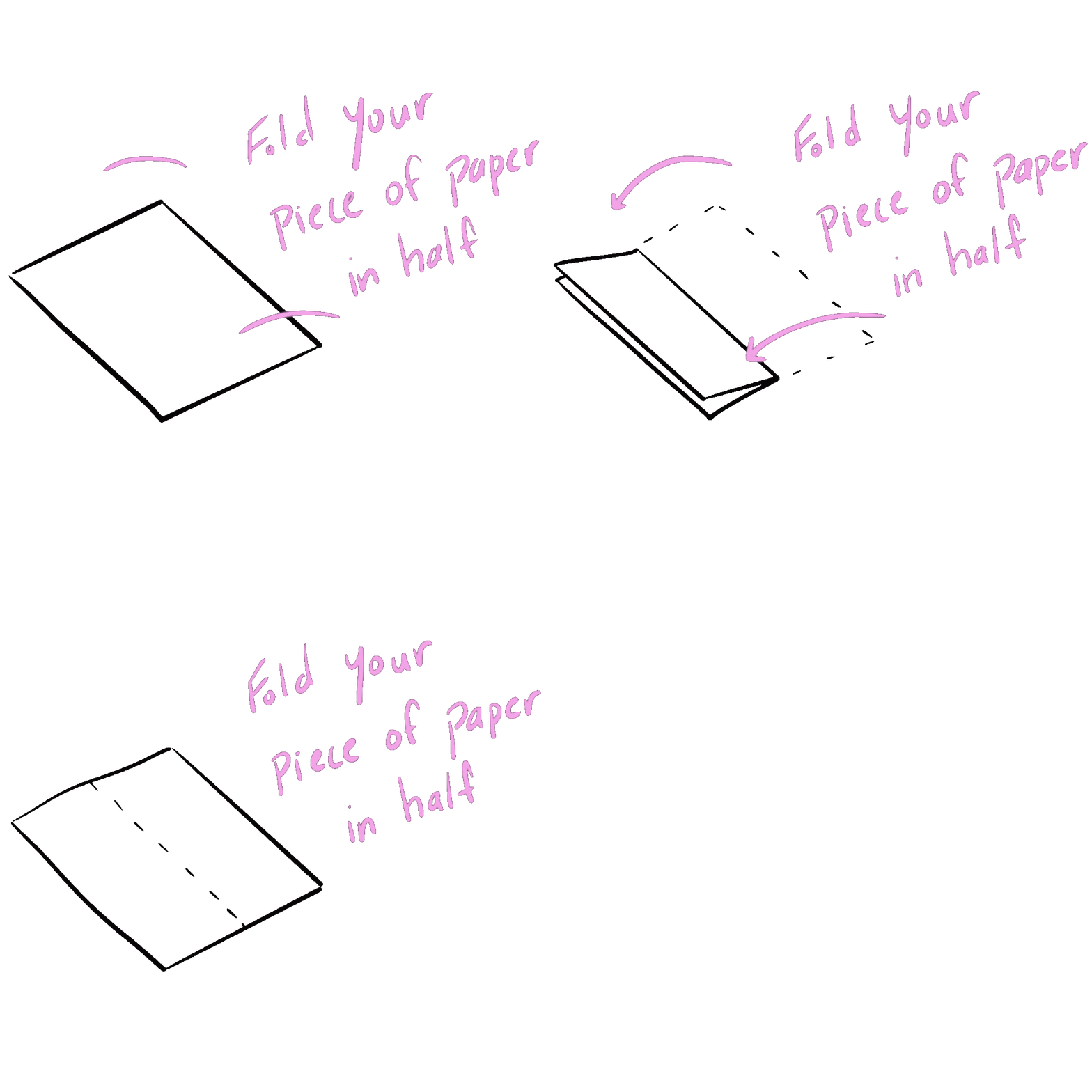
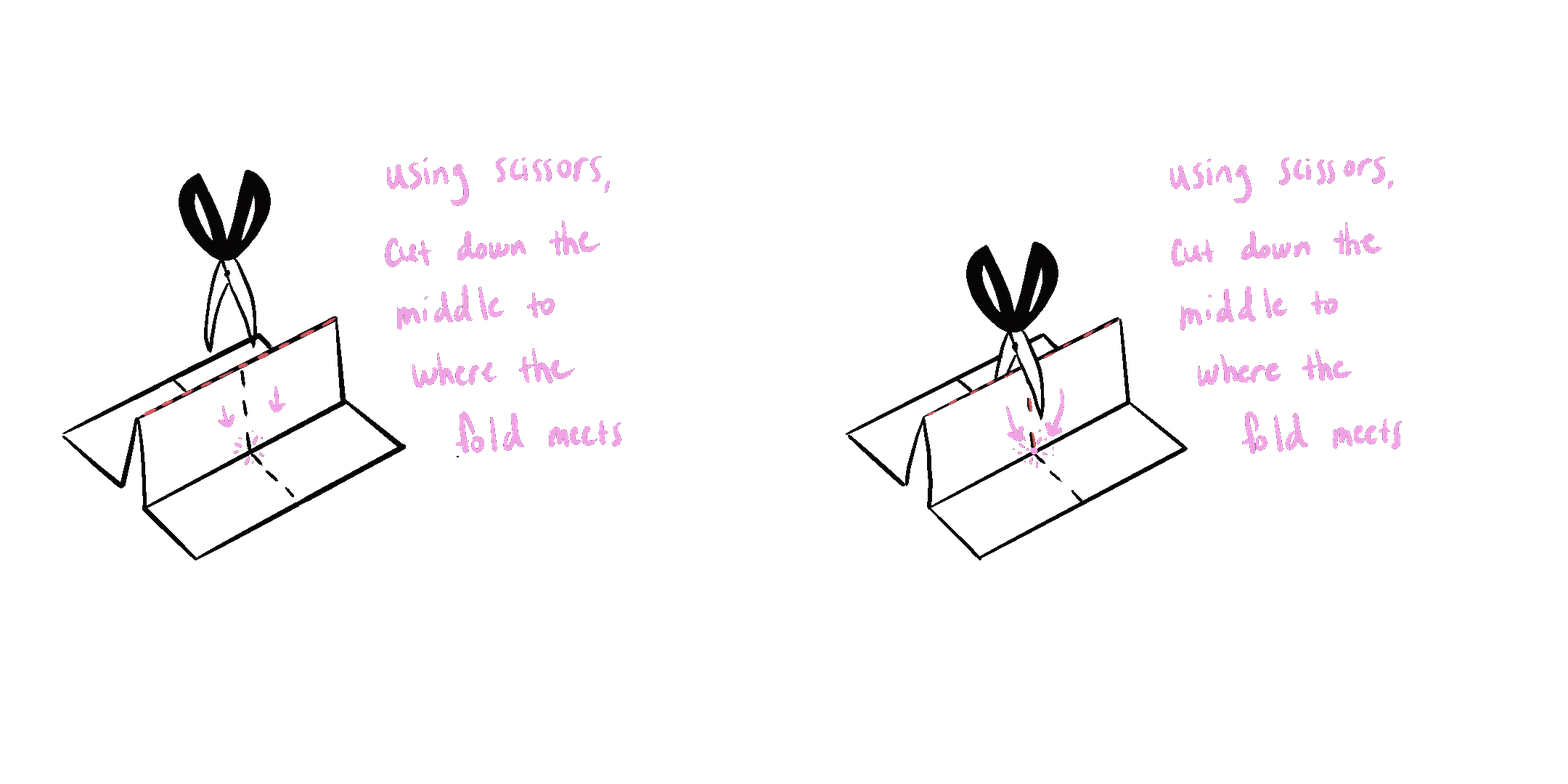
step-by-step tutorials with animated GIFs for folding instructions
Final Implementation
The final application closely matched the high-fidelity designs, with only minor adjustments made during development. One key improvement was the use of animated visual guides in tutorials, which testing showed were easier for users to follow than static images.
Development
The Zini prototype was developed as a functional mobile web application. The interface was built using Ionic React, allowing the app to replicate native mobile navigation patterns while remaining responsive across devices.
User authentication and data storage were implemented using Firebase Authentication, Firebase Firestore, and Firebase Storage, enabling users to securely create accounts, upload zines, and store metadata.
Key features implemented during development included:
user registration and login
zine uploads with image and PDF support
a scrollable feed displaying uploaded content
profile pages showing saved and uploaded zines
The final implementation closely followed the high-fidelity prototypes created in Figma, ensuring consistency between the design and the working product.
Zini successfully demonstrates how a digital platform can foster a creative community around zines. By combining interactive browsing, easy uploading, and educational tutorials, the app encourages self-expression and engagement without requiring advanced artistic skills. The project provided hands-on experience in UX design, front-end development, and user-centered interaction design, highlighting the importance of interactivity, feedback, and mobile-first thinking in digital creative platforms.